Construction PDA: Difference between revisions
VivaRomania (talk | contribs) |
mNo edit summary |
||
| (One intermediate revision by the same user not shown) | |||
| Line 47: | Line 47: | ||
* The [[Engineer]] build and [[Spy]] [[Disguise Kit|disguise]] HUD elements for controllers have been overhauled | * The [[Engineer]] build and [[Spy]] [[Disguise Kit|disguise]] HUD elements for controllers have been overhauled | ||
}} | }} | ||
== Trivia == | == Trivia == | ||
* If the user selects a building they cannot construct, the Engineer will appear to press a button on the Construction PDA. This is only visible to other players. This can also be replicated with the <code>pda_click</code> console command. | * If the user selects a building they cannot construct, the Engineer will appear to press a button on the Construction PDA. This is only visible to other players. This can also be replicated with the <code>pda_click</code> console command. | ||
| Line 55: | Line 54: | ||
== Gallery == | == Gallery == | ||
<gallery> | <gallery> | ||
File:Weapon_pdabuild_red.png|RED first-person view. | |||
File:Weapon_pdabuild_blu.png|BLU first-person view. | |||
File:Weapon_pdabuild_grn.png|GRN first-person view. | |||
File:Weapon_pdabuild_ylw.png|YLW first-person view. | |||
File:Weapon_builder_red.png|RED toolbox first-person view. | |||
File:Weapon_builder_blu.png|BLU toolbox first-person view. | |||
File:Weapon_builder_grn.png|GRN toolbox first-person view. | |||
File:Weapon_builder_ylw.png|YLW toolbox first-person view. | |||
File:Backpack_PDA:_Teleporter.png|PDA: Teleporter backpack icon | File:Backpack_PDA:_Teleporter.png|PDA: Teleporter backpack icon | ||
File:Backpack_PDA:_Jump_Pad.png|PDA: Jump Pad backpack icon | File:Backpack_PDA:_Jump_Pad.png|PDA: Jump Pad backpack icon | ||
</gallery> | </gallery> | ||
{{nav allweapons}} | {{nav allweapons}} | ||
Latest revision as of 19:02, 12 June 2026
| Construction PDA | |
|---|---|
 |
|
| Kill Icons | |
 | |
 |
|
| Basic Information | |
| Used by | Engineer |
| Slot | PDA |
| Loadout Stats | |
Construction PDA Construction PDA "Everything an Engineer like myself needs, all in this little device here." | |
Construction PDA Construction PDA Jump Pads cannot be upgraded
"Trust me, feller. This one'll blow you away." | |
The Construction PDA is the stock PDA for the Engineer, which is used to construct his various buildings. It appears as a gray handheld device with a small, blank screen, a red switch on top, and 8 face buttons, including a large yellow button. The red switch appears red, and the yellow button appears yellow, regardless of which team the user is on.
The Construction PDA comes in two forms: the default PDA: Teleporter and the alternative PDA: Jump Pad, which are visually the same, yet enables construction of different buildings. When the Construction PDA is the active weapon, a menu will appear on the user's interface, enabling construction of 4 buildings. Both PDAs allow construction of the Sentry Gun and Dispenser. If the PDA: Teleporter is active, it will allow building the Teleporter entrance and exit. If the PDA: Jump Pad is active, it allows building two Jump Pads, designated Jump Pad A and Jump Pad B. If the user already owns that building, or they don't have enough metal to build it, the Construction PDA will deny the ability to build it.
When the desired building is chosen, it will appear as a white outline on top of a blueprint, demonstrating the position it will have once built. The Engineer will hold a toolbox during this, and will drop it when he dies. Unlike the toolbox held while hauling a building, he can freely switch weapons from it. The user can right-click while the blueprint is out to rotate the blueprints, and therefore the building. If the building cannot be placed at that position, such as while in the air, in a wall, or on certain map geometry, then the outline will disappear and a red "X" will take its place instead. Once a building is placed, the Engineer will immediately switch to the Wrench, so that he can whack his newly-born building. If the attack button is pressed while the Construction PDA is out, the user will switch to their last weapon.
If the user wishes to destroy the buildings they have created, then the Construction PDA is useless, as it is designed for construction. Instead, they must seek out the power of the Destruction PDA, which is designed for destruction.
Names in other languages
| Language | Name | Meaning |
|---|---|---|
| Bulgarian | ПДА за изграждане | Construction PDA |
| Spanish | PDA de Construcción | Construction PDA |
| English | Construction PDA | - |
| French | PDA de construction | Construction PDA |
| German | Konstruktions-PDA | Construction PDA |
| Hungarian | Építő PDA | Construction PDA |
| Italian | PDA da costruzione | Construction PDA |
| Polish | PDA budowy | Construction PDA |
| Brazilian Portuguese | PDA de construção | Construction PDA |
| Romanian | PDA de construcție | Construction PDA |
| Russian | Строительный КПК | Construction PDA |
| Turkish | Kurulum PDA | Construction PDA |
| Ukrainian | Будівельний КПК | Construction PDA |
Update history
- Added aimmatrices to the Engineer's PDA animations. (Previously would never look around when moving around the players view.)
Trivia
- If the user selects a building they cannot construct, the Engineer will appear to press a button on the Construction PDA. This is only visible to other players. This can also be replicated with the
pda_clickconsole command. - The building blueprints all appear at different heights when obstructed by a wall. The Sentry Gun blueprint will appear slightly through the floor, the Dispenser blueprint will appear slightly above the floor, and the Teleporter and Jump Pad blueprints will be significantly above the floor.
- The Teleporter blueprint is built at a slightly longer range than the Sentry Gun, Dispenser, and Jump Pad blueprints. This means that the Teleporter cannot be built from the same positions as the other buildings if the user is facing an obstruction.
Gallery
-
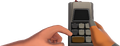 RED first-person view.
 -
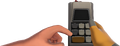 BLU first-person view.
 -
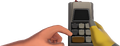 GRN first-person view.
 -
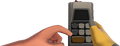 YLW first-person view.
 -
 RED toolbox first-person view.
 -
 BLU toolbox first-person view.
 -
 GRN toolbox first-person view.
 -
 YLW toolbox first-person view.
 -
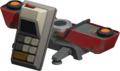 PDA: Teleporter backpack icon
 -
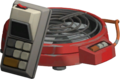 PDA: Jump Pad backpack icon


| Weapons | |||||
|---|---|---|---|---|---|
| Primary | Secondary | Melee | PDA/Watch/Sapper | ||
| Scout | - | ||||
| Soldier | - | ||||
| Pyro | - | ||||
| Demoman | - | ||||
| Heavy | - | ||||
| Engineer | |||||
| Medic | - | ||||
| Sniper | - | ||||
| Spy | - | ||||
| Civilian | - | - | - | ||